Microsoft · Xamarin · Visual Studio Mobile Center
Redesigning mobile analytics for Microsoft
A product design case study focused on making complex app performance data easier to understand and act on.
Pioneered contextual delta visualization
Visual Studio ecosystem serving 35M+ developers
Overview
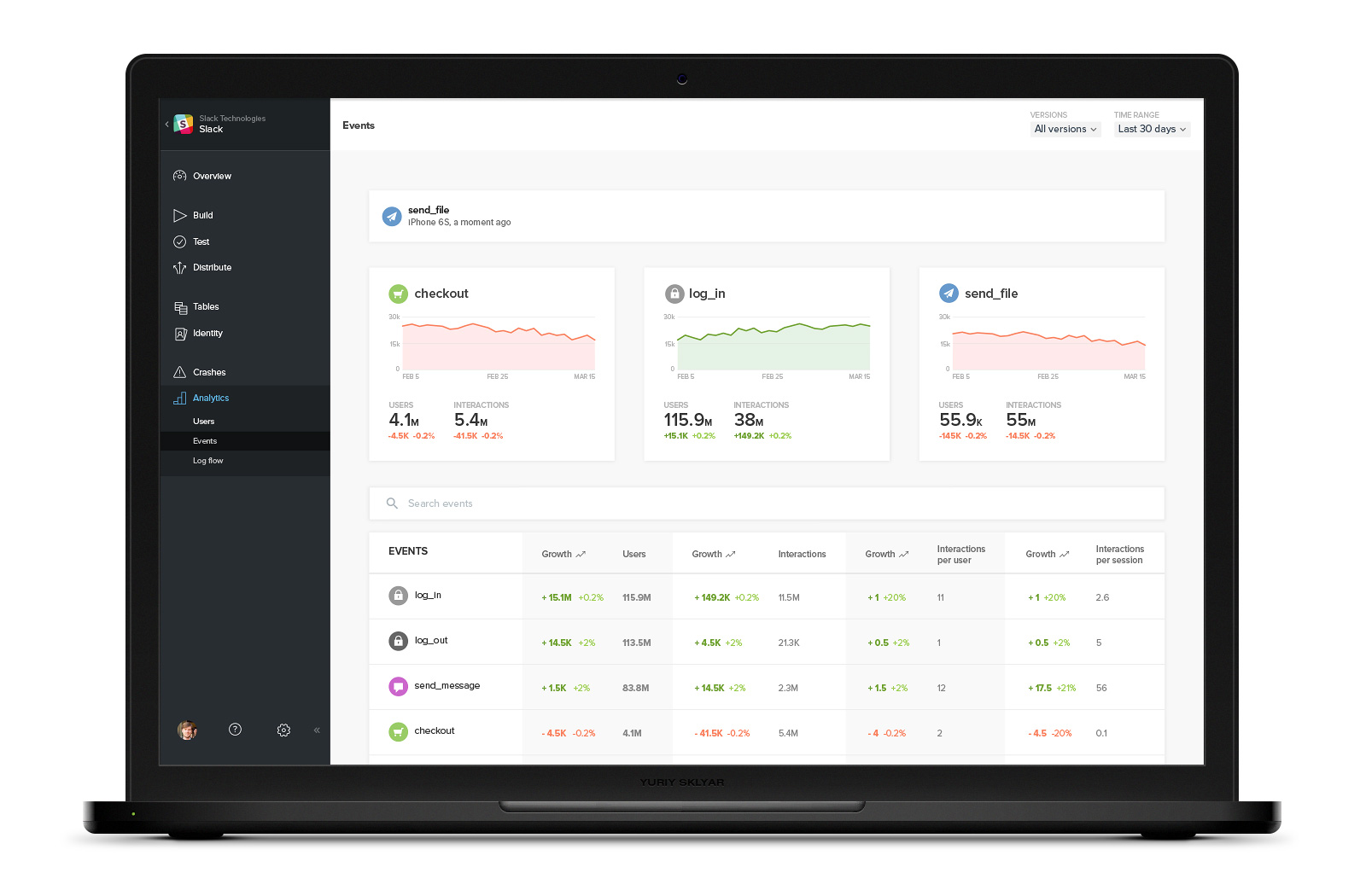
Microsoft brought me in to rethink the mobile analytics experience for Xamarin as the product evolved into Visual Studio Mobile Center.
The challenge was not simply showing more data. The bigger opportunity was helping developers understand what changed, how much it changed, and where to investigate next.
Before
Data without context is not insight
The existing analytics experience surfaced performance data, but left users to interpret what the numbers meant. Developers needed immediate context: direction, magnitude, comparison period, and a clearer path from high-level movement to event-level detail.

After
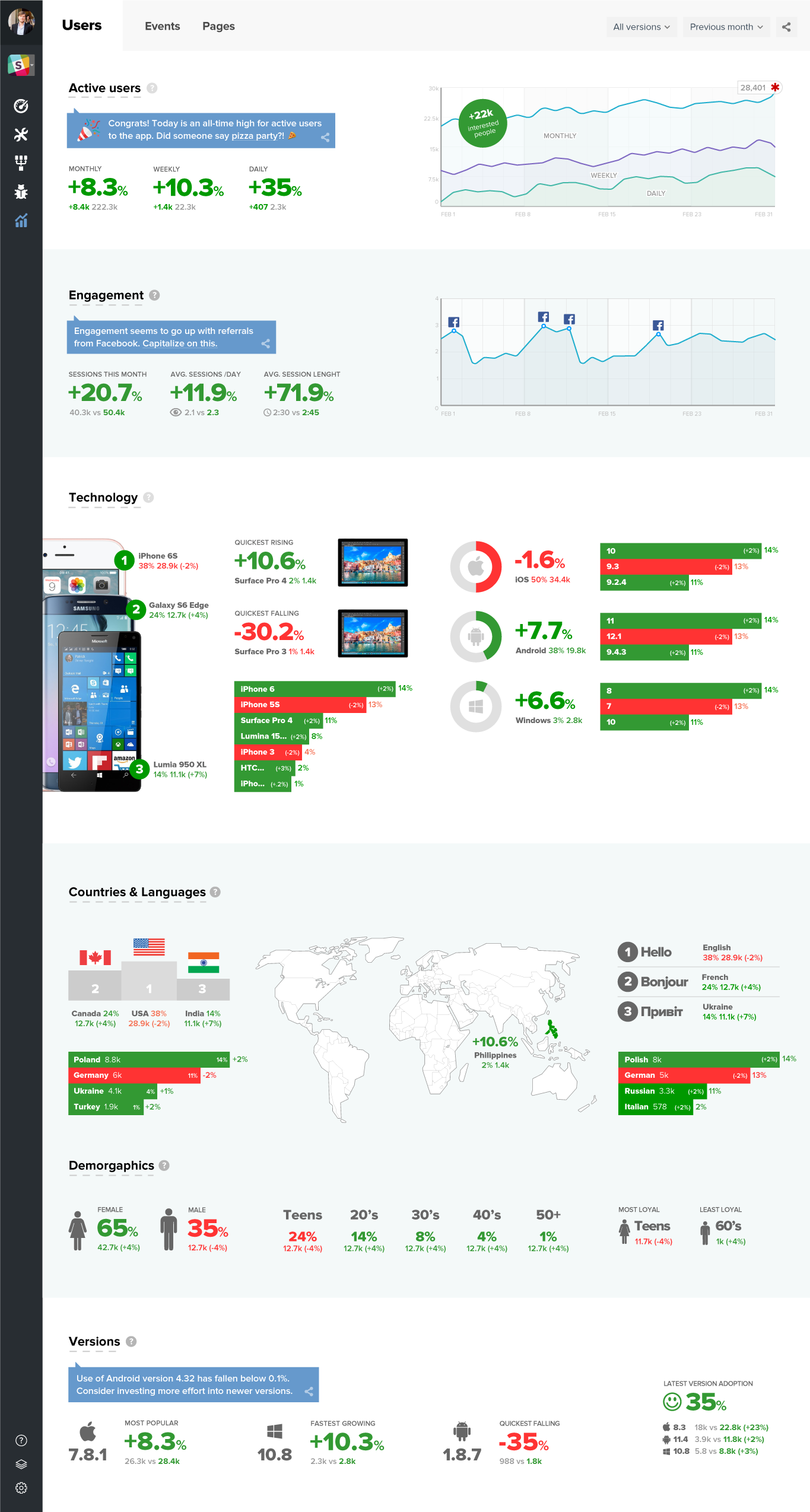
Pioneering contextual delta visualization
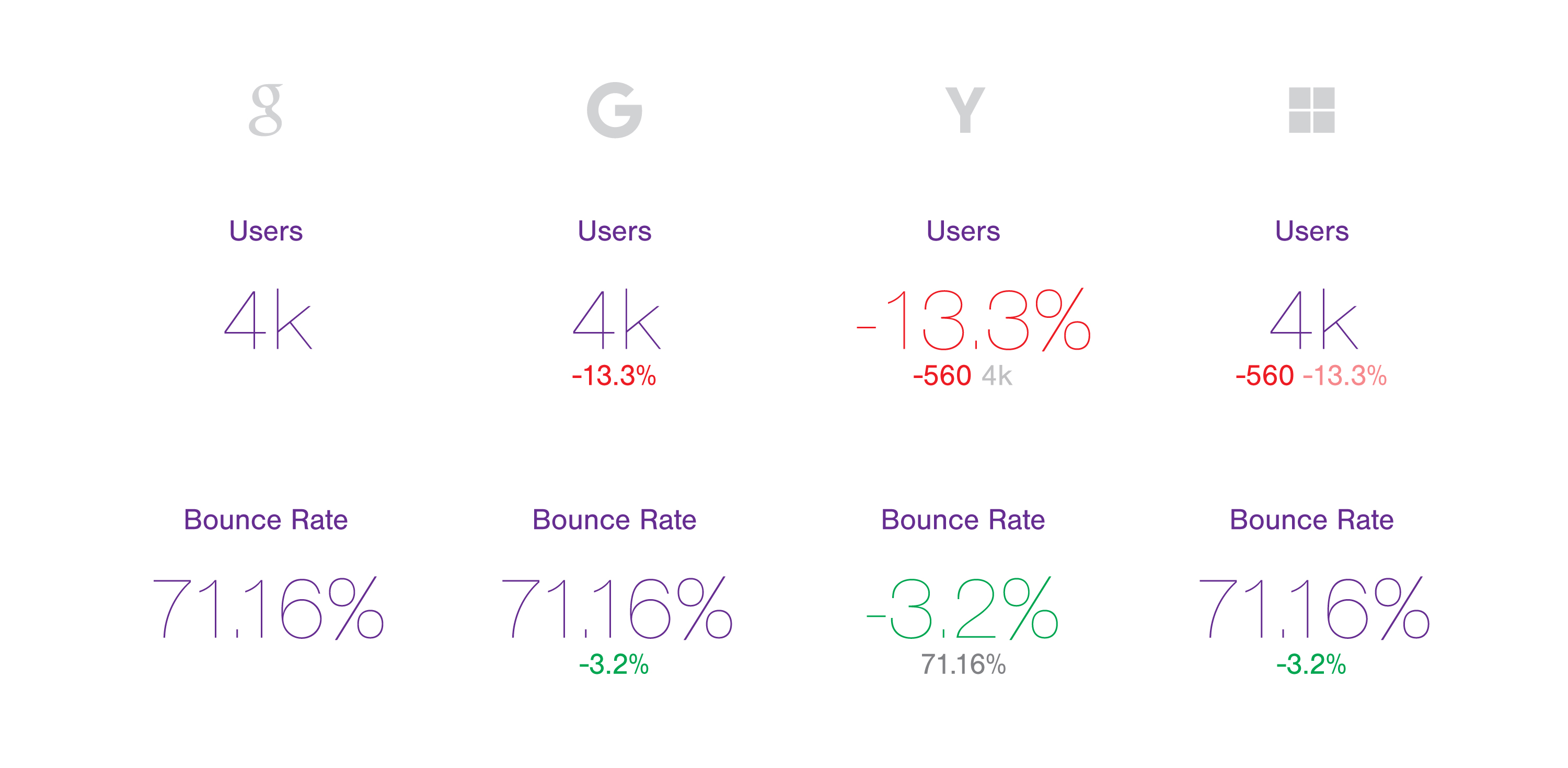
In 2016, I pioneered a contextual delta model that combined current value, directional change, percentage movement, absolute difference, and comparison period within a single metric component.
I helped the team understand why the model should be used: it reduced interpretation effort by showing not only the current state, but how significantly performance changed.

My role
I led product and interaction design across the analytics dashboard, event exploration, filtering, and future-facing insight concepts—from early product direction through detailed interface design and integration with Microsoft’s existing framework.

Main dashboard
Redesigned the overall analytics dashboard to make performance changes easier to scan, compare, and interpret.
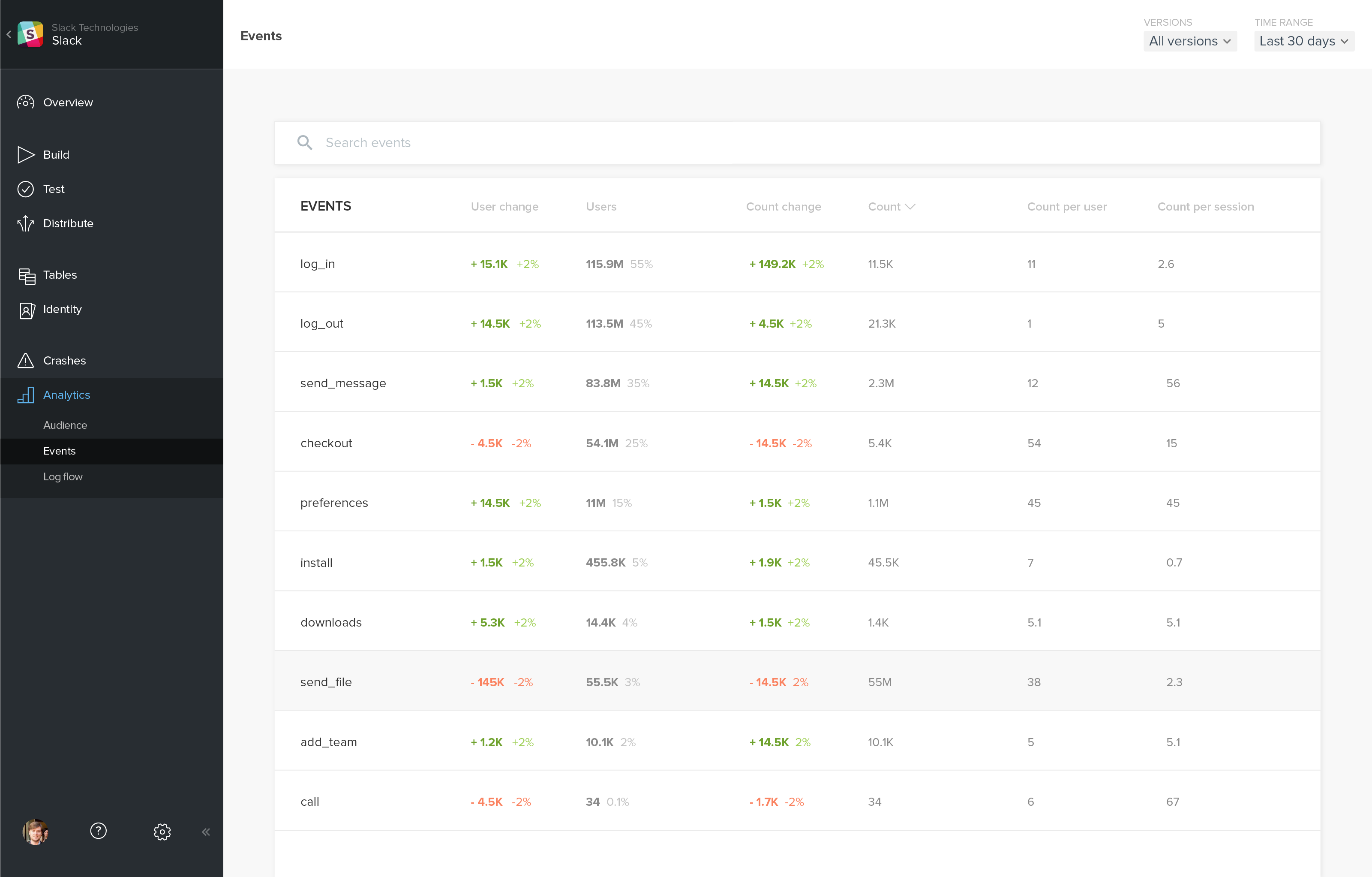
Events overview
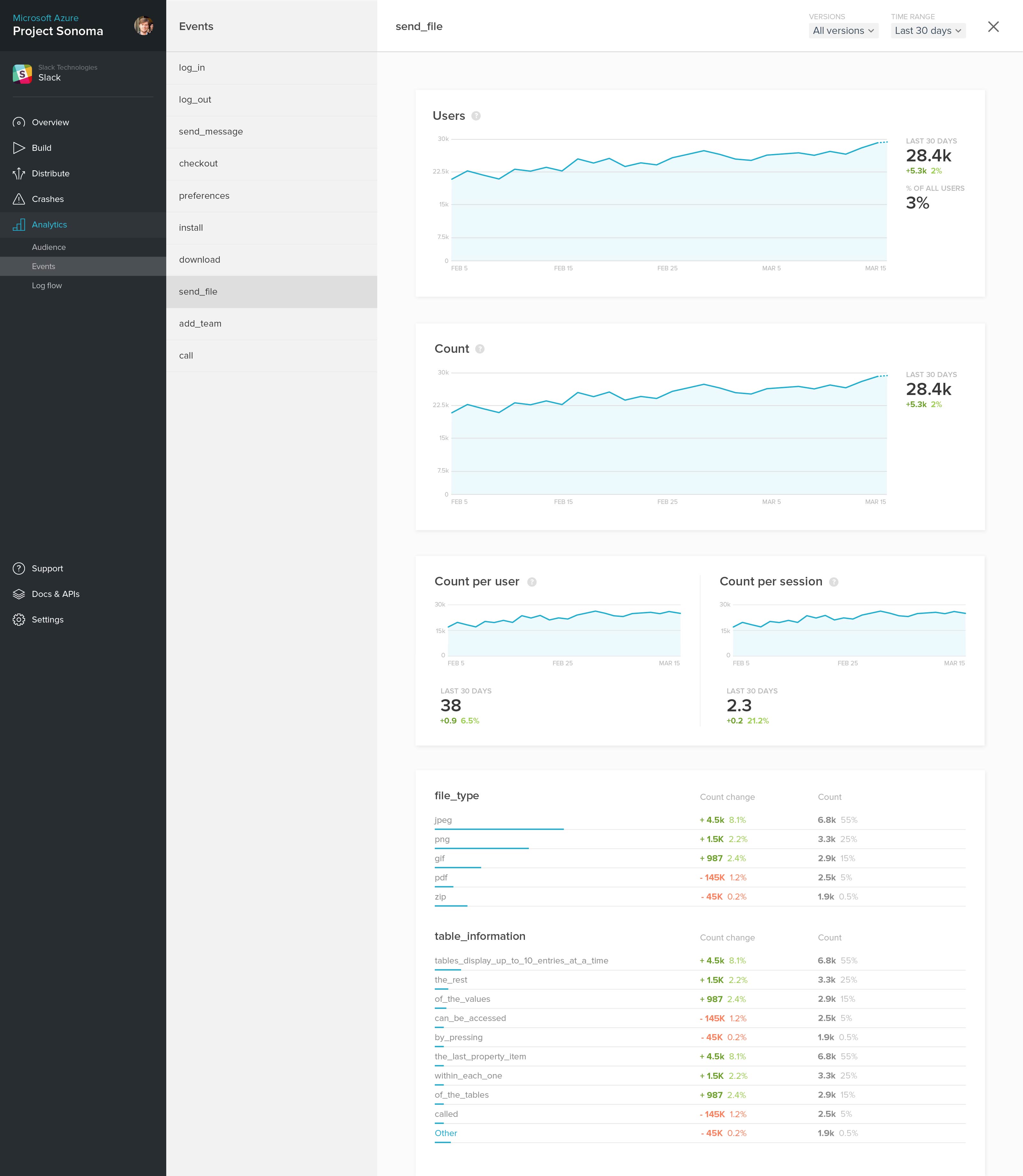
A user-configurable view that lets teams feature the events most relevant to them while providing trends, users, and interactions at a glance.
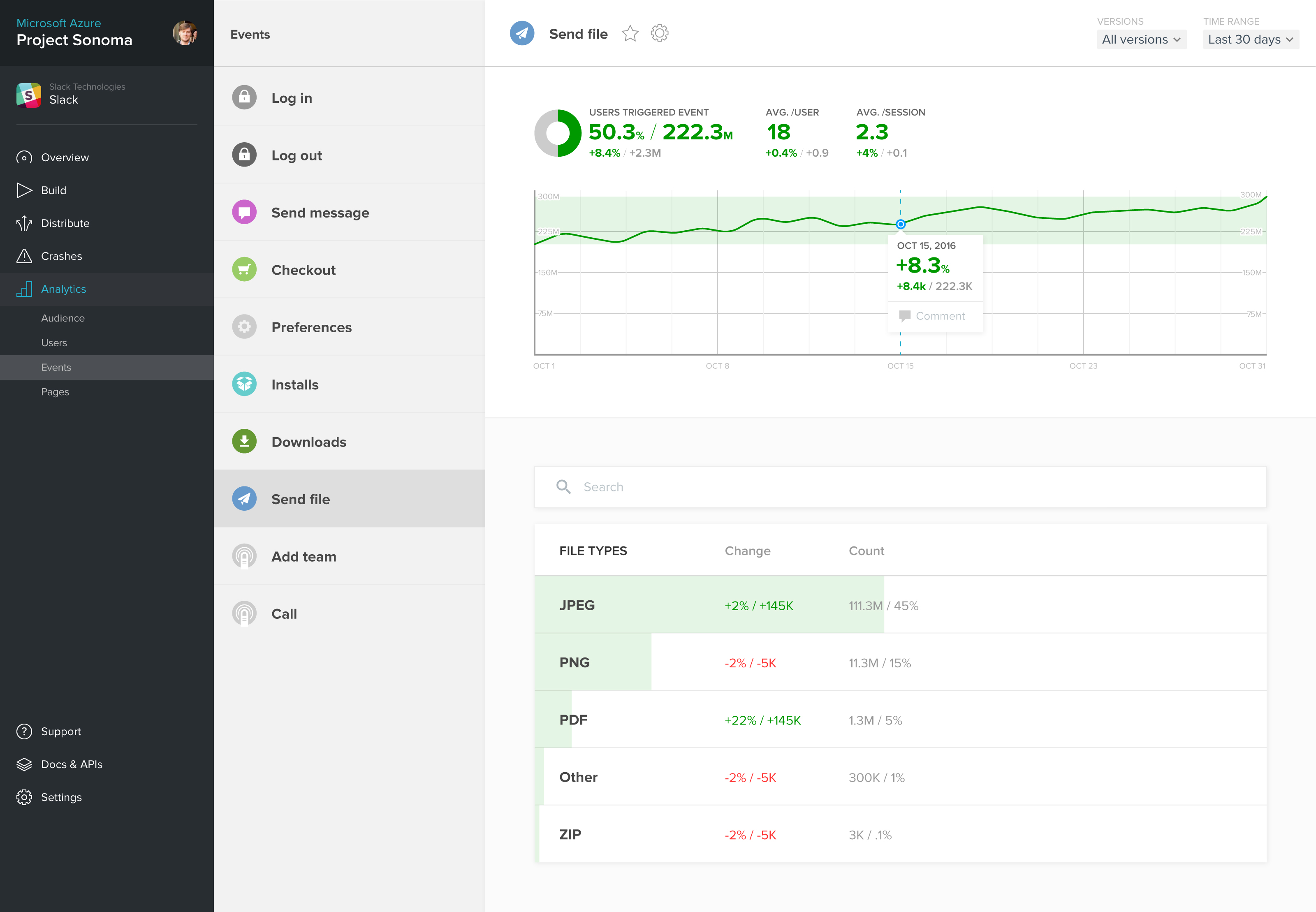
Event detail
A focused view for analyzing event performance over time, comparing changes, and identifying the factors driving user behavior.
Trend exploration
Created clearer paths from high-level performance signals to historical trends and supporting detail. Direct timeline controls replaced slower dropdown-based interactions for a task developers performed repeatedly.
Event analysis and filtering
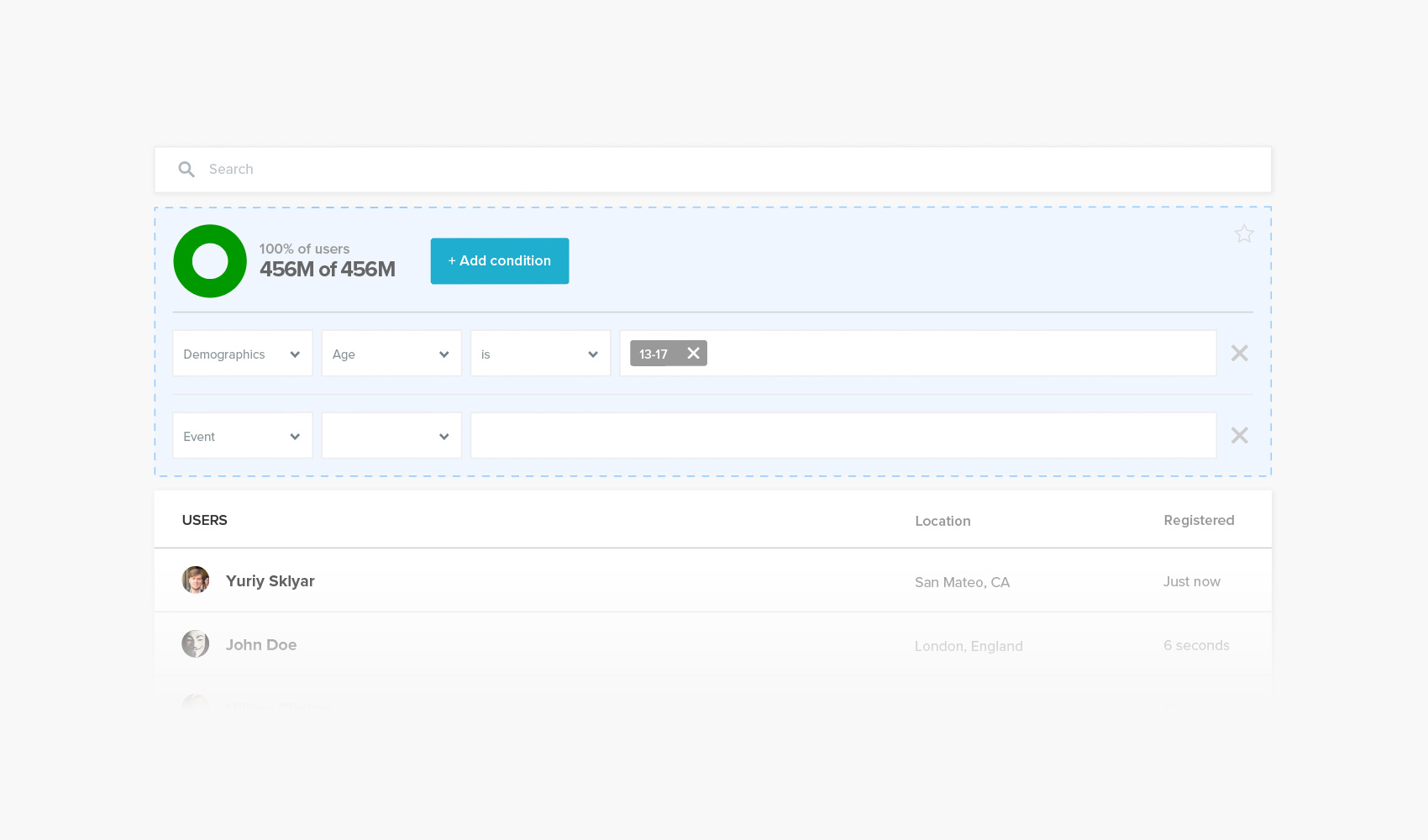
Simplified event exploration, search, and filtering to help developers investigate the behavior behind changes.
Working within the product system
The work had to fit Microsoft’s existing front-end framework and the evolving Visual Studio Mobile Center ecosystem. I used those constraints to create reusable navigation, hierarchy, comparison, timeline, and filtering patterns rather than a disconnected visual redesign.
The initial direction was deliberately more expressive and infographic-like. The shipped direction became a pragmatic bridge between that product vision and the platform’s established structure.
From reporting data to explaining change
The work established a clearer direction for mobile analytics within Visual Studio Mobile Center and introduced interaction patterns that anticipated a broader industry shift toward contextual, comparative, and actionable analytics.
Industry validation
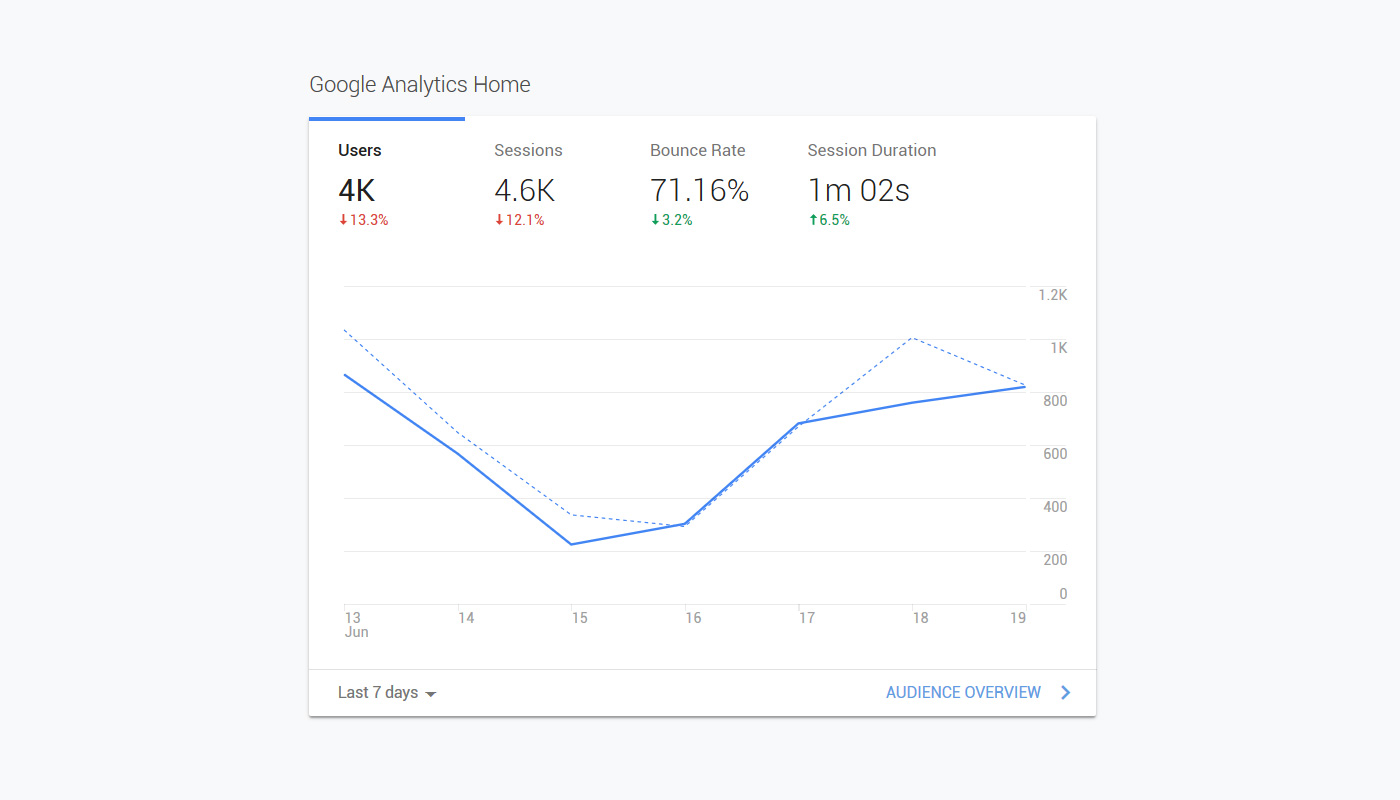
Two years later, Google Analytics introduced a similar contextual delta pattern—pairing primary metrics with directional change, percentage movement, and period-over-period context.
Its adoption reinforced the broader value of the model I pioneered in 2016: helping users understand not only what the current value is, but how performance is changing and whether that change matters.
The concept that shaped the product
The initial concept brought the core ideas together in one cohesive experience: contextual performance feedback, comparative metrics, event connection, proactive guidance, and clearer paths from high-level signals to deeper analysis.
While the final product evolved within Microsoft’s existing platform framework, this concept established the design direction and informed the key interaction patterns applied throughout the project.
Product design · Interaction design · Data visualization · Analytics